← Projects

Meal ordering & delivery requests

Foody React App

Choose meals, set quantities and send a delivery request with a clear order total and contact details.

My roleMenu, cart and checkout development, including order API integration.
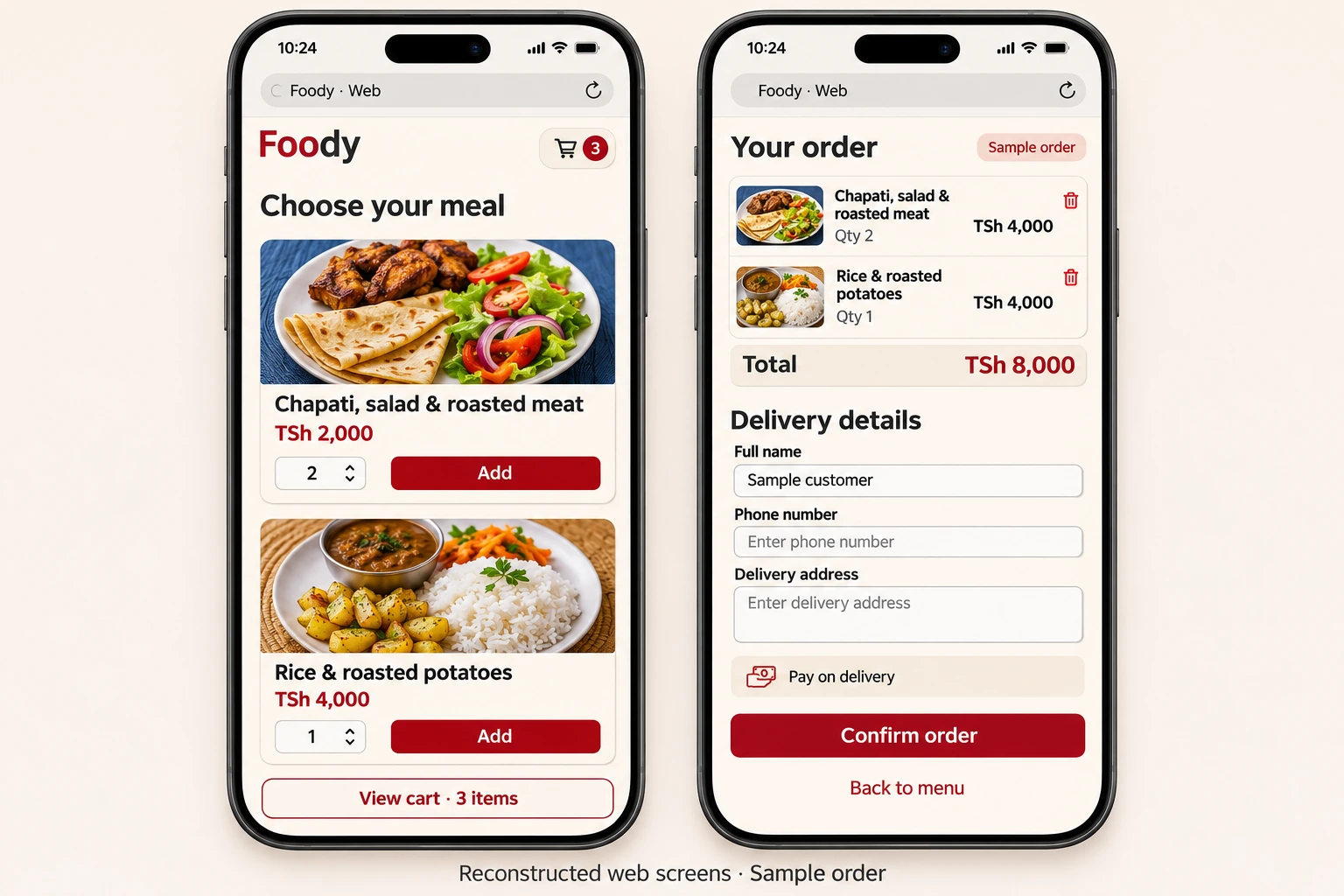
Reconstructed Foody mobile web menu and delivery checkout with food photographs, quantities and an order total
Source-based mobile reconstruction · sample menu and delivery details.Full size ↗

Overview

Project overview

Foody brings the menu, cart and delivery form into one customer journey. People can compare meals and prices, choose quantities, review the total and provide the details needed to arrange delivery. The resulting request contains both the selected meals and the customer's contact information.

  • Meal browsing
  • Quantities & cart totals
  • Delivery details
  • Order requests

Engineering contribution

My contribution

  • Built a shared cart that combines repeated items, calculates the total and supports removing a meal.
  • Connected the menu and checkout to remote data, including the delivery details sent with an order request.
  • Designed the progression from menu selection to cart review and a required-fields checkout form.

Technology & scope

  • React
  • Hooks & Context
  • Firebase REST API

React keeps the menu and cart state connected. Firebase requests load the available meals and submit the selected items with the customer's delivery details.
Ordering process

Meal ordering workflow

The customer can see what they are ordering, what it costs and which details are needed for delivery.

Workflow

Place an order

  1. 01

    Browse

    Read meal descriptions, see food photographs and compare prices.

  2. 02

    Choose

    Set quantities, add meals and review the cart total.

  3. 03

    Add details

    Provide a name, phone number and delivery address.

  4. 04

    Send request

    Submit the selected meals and delivery details together.

The checkout uses a pay-on-delivery flow.

Next projectDHIS2 Todo