← Projects

Task tracking & progress

DHIS2 Todo

Keep a clear record of tasks, update what has been completed and revisit the latest saved list.

My roleTask interface development and integration with the provided DHIS2 backend.
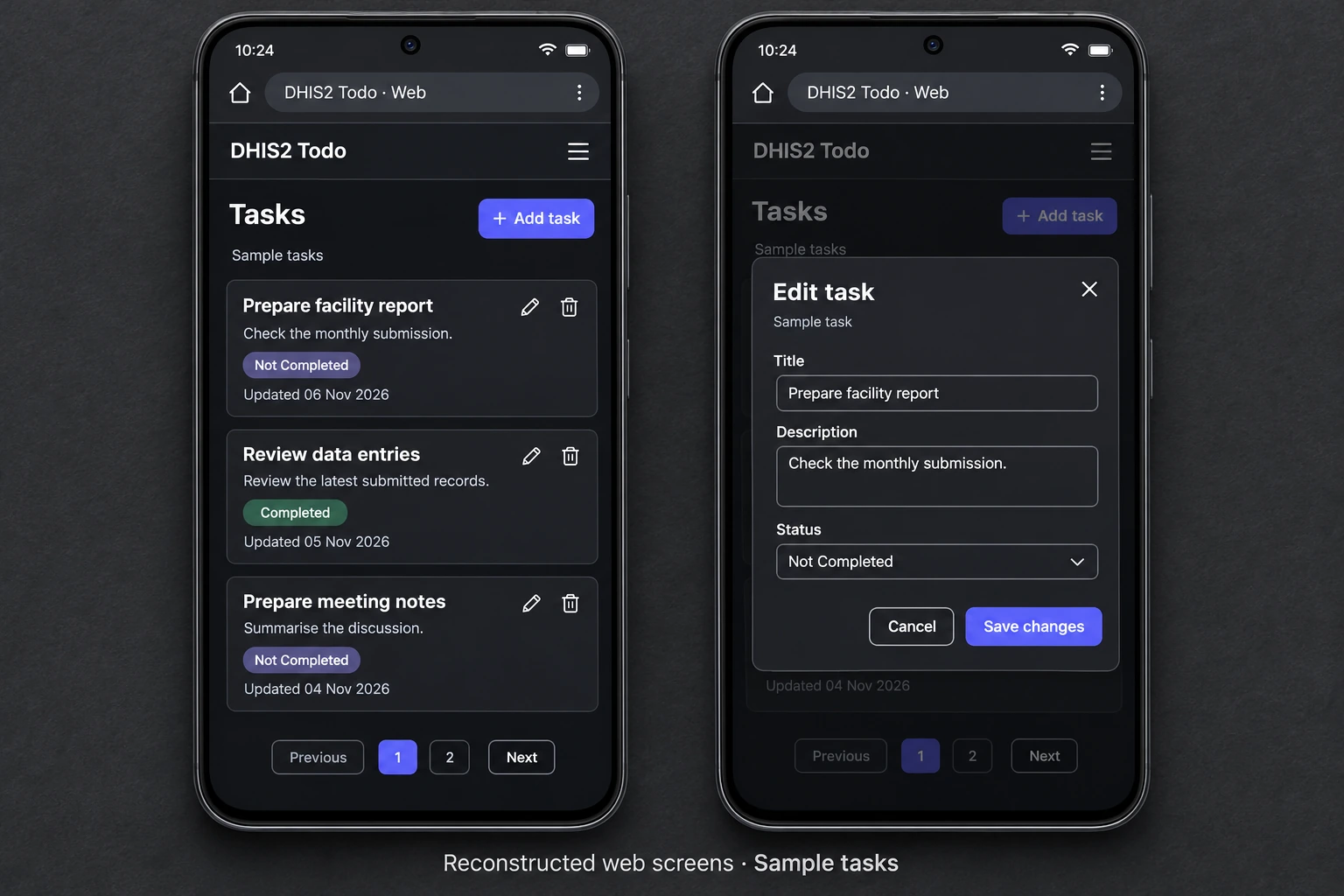
Reconstructed DHIS2 Todo mobile web task list and edit form showing task descriptions and completion status
Source-based mobile reconstruction · sample tasks.Full size ↗

Overview

Project overview

A compact workspace for capturing a task, adding useful context and marking it complete when the work is done. Visible status and last-updated dates make the list easy to scan. Editing, numbered pages and confirmed removal help users keep the record current as it grows.

  • Task descriptions
  • Completion status
  • Last-updated dates
  • Editing & confirmed removal

Engineering contribution

My contribution

  • Turned an existing DHIS2 data service into a complete task interface for creating, reading, updating and deleting records.
  • Built reusable forms with prefilled task details and a clear Completed / Not Completed choice.
  • Connected successful changes to refreshed lists and operation messages, with pagination for browsing records.

Technology & scope

  • React / Vite
  • Axios
  • DHIS2 datastore API

The frontend connects to a provided DHIS2 datastore. API requests load the task list and save changes; the interface then refreshes the records users see.
Task management

Task management workflow

Task creation, status updates and saved records support the task-management workflow.

Workflow

Task lifecycle

  1. 01

    Capture

    Add a title and an optional description of the work.

  2. 02

    Review

    Scan status and last-updated dates across the list.

  3. 03

    Update

    Edit the details and mark the task complete when finished.

  4. 04

    Maintain

    Confirm removal of an unwanted task and revisit the updated list.

Task records are stored through the connected DHIS2 service.

Next projectHerbal Information System