← Projects

Clinic appointments & patient communication

Maternity System with SMS

Request and confirm maternity appointments, send visit details by SMS and keep maternal and child records available to the care team.

My rolePatient and staff workflows, connected records, SMS integration and reporting.
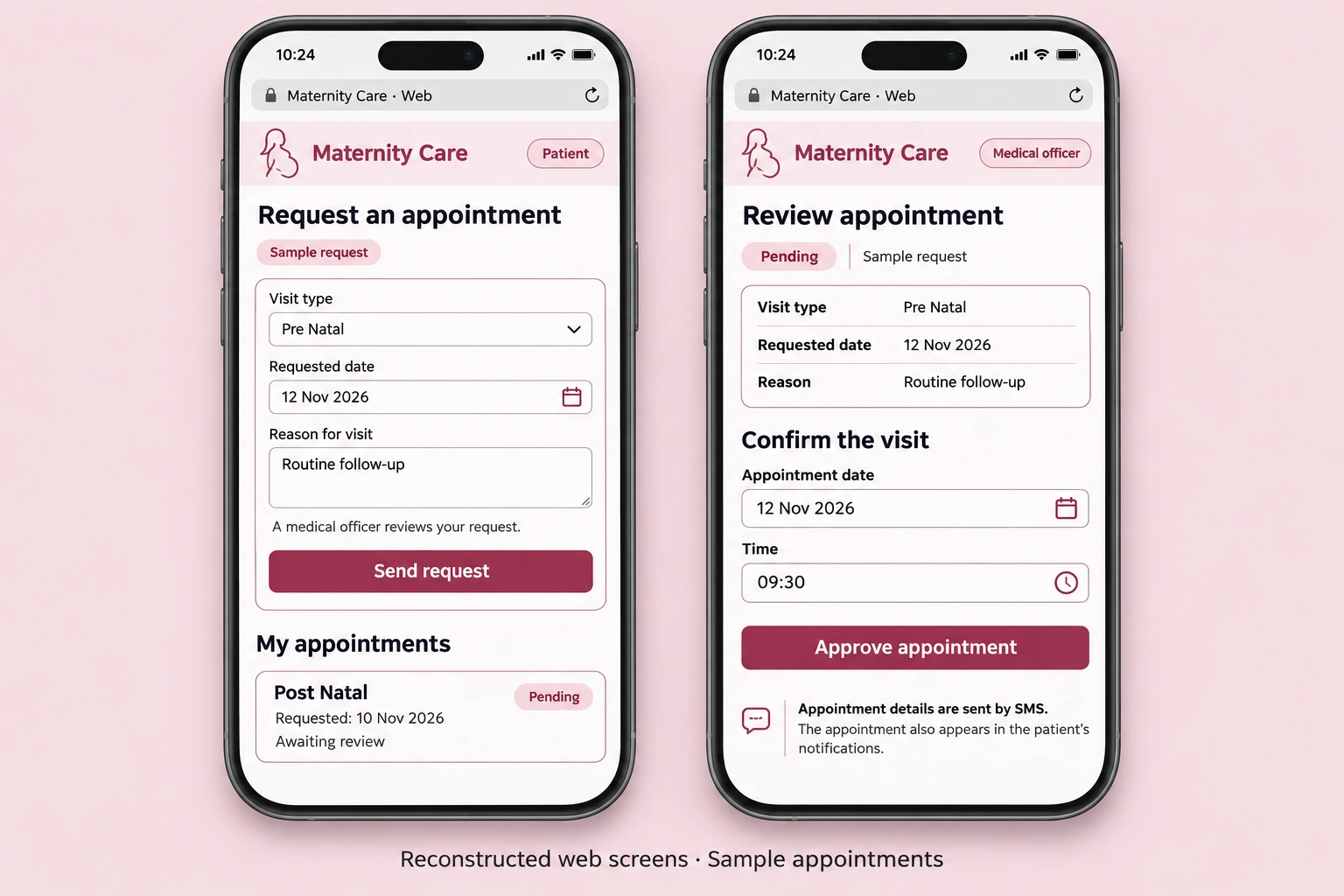
Reconstructed maternity mobile web appointment request and medical officer review using anonymous sample records
Source-based mobile reconstruction · anonymous sample appointments.Full size ↗

Overview

Project overview

Patients can request a visit and follow its status. A medical officer reviews the request, chooses the appointment date and time, and sends the details through an in-app notification and SMS. Linked maternal and child records, an activity overview and printable reports support the staff's day-to-day work.

  • Visit requests & approval
  • Appointment notifications
  • Maternal & child records
  • Operational overview & PDF reports

Engineering contribution

My contribution

  • Built the patient-to-officer appointment workflow, from a visit request to an approved date and time.
  • Linked appointment approval to a saved notification and an SMS request through Beem.
  • Connected maternal and child records with staff workspaces, overview counts and printable reports.

Technology & scope

  • PHP
  • MySQL
  • Beem SMS API
  • TCPDF

PHP and MySQL handle the linked appointment and care records. Beem receives SMS requests, and TCPDF produces printable lists for appointments, maternal records and children.
Visits, records & communication

Appointments & patient records

Patients and staff see the next step, with appointment communication and care records organised around the patient.

Workflow

Workflows

  1. 01

    Request

    Choose antenatal or postnatal care, a preferred date and a reason.

  2. 02

    Review

    The officer checks the request and the related patient information.

  3. 03

    Approve

    Set the appointment date and time and approve the visit.

  4. 04

    Notify

    Save a notification and send the appointment details to the SMS service.

The patient can revisit the appointment status and in-app notification.

Next projectOdaBook